WireGuard on Ubuntu with GUI
WireGuard® is a modern VPN protocol for secure and fast data transfer over the internet.
It is recommended to use this protocol if your Internet provider does not restrict VPN protocols or services.
If there are any restrictions or connection issues, please use the VLESS (XTLS) protocol via v2rayN or AmneziaWG 2 via our guide.
Before installation, make sure that:
• You have Ubuntu 24.04 with a GUI.. On earlier versions, the steps may differ, while on newer versions they generally remain the same.
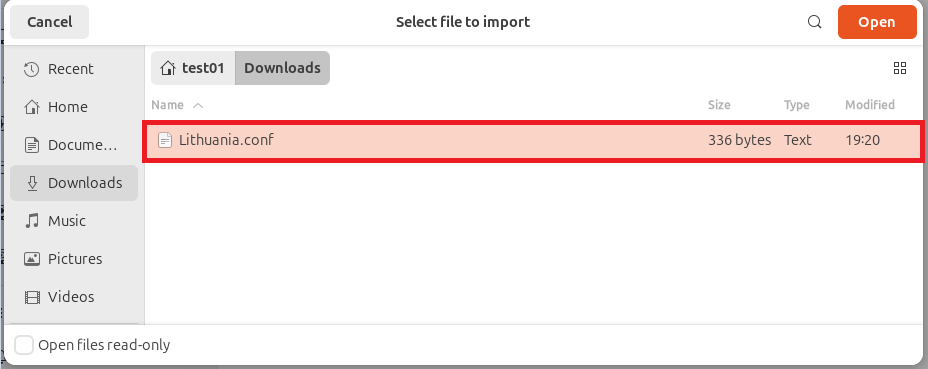
• You have a WireGuard configuration file in .conf format from your Personal Area (in our example, the configuration file Lithuania.conf will be used).
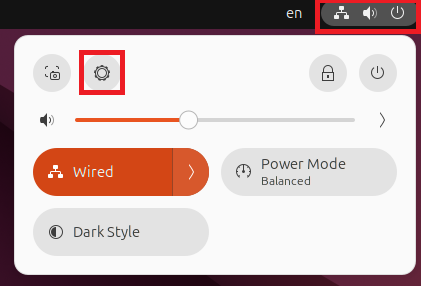
1. Click the menu and open Settings:
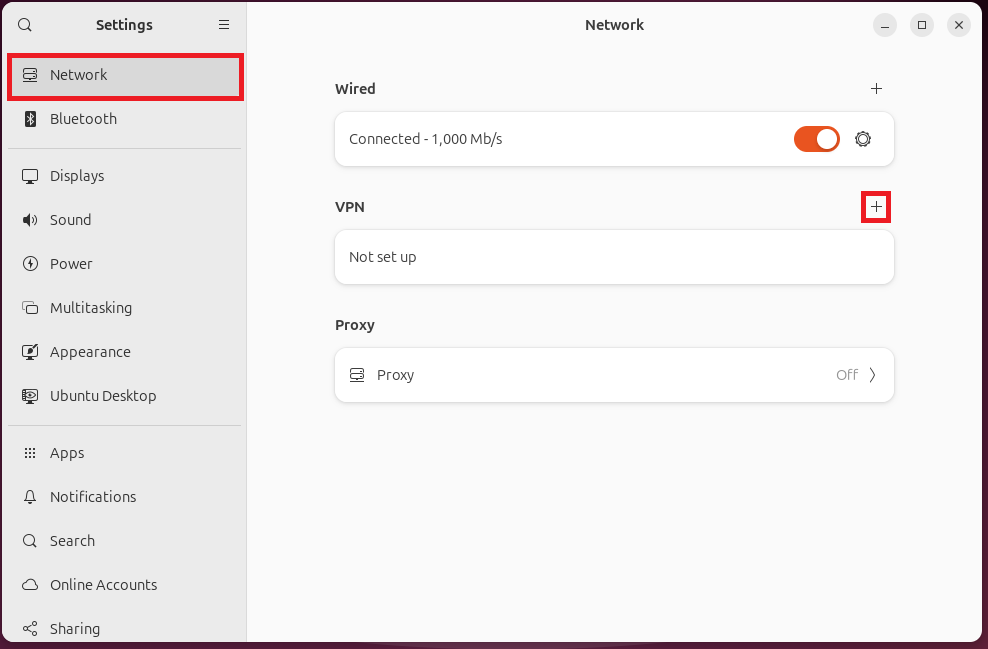
2. Go to the “Network” section and open the VPN settings:
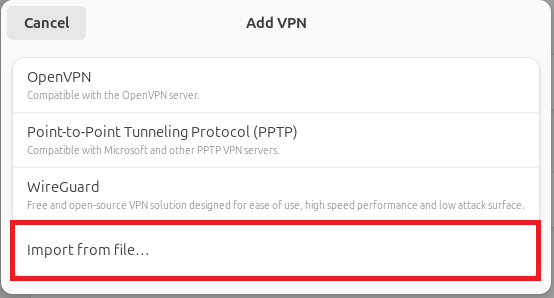
3. Click the “Import from file” button:
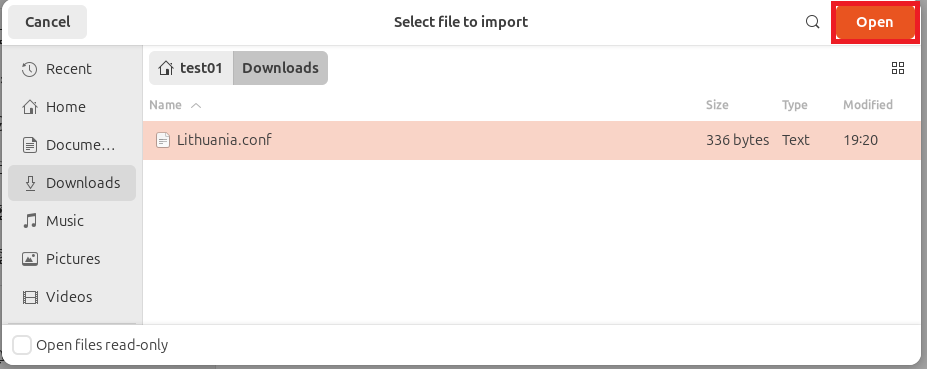
4. Navigate to the directory where you saved the .conf file and select it:
5. Click the “Open” button for the selected file:
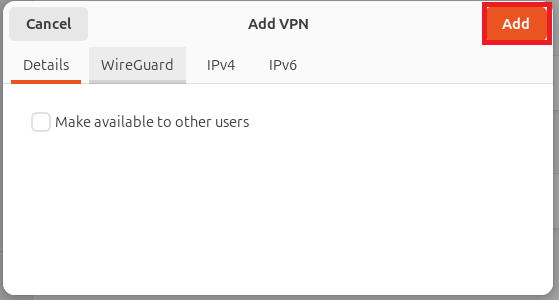
6. Click the “Add” button:
7. Enable the VPN:
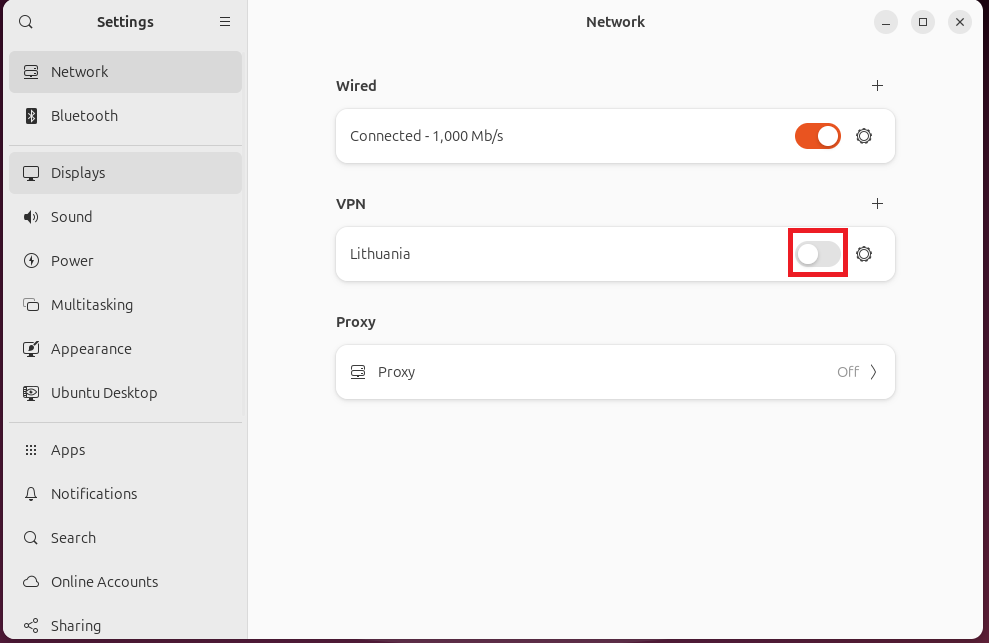
8. Your device is now connected to the VPN.